

Pikchr Diagrams
Pikchr diagrams work the same way as other inline media—wrap your markup in a fenced code block and declare the language as pikchr:
```pikchr
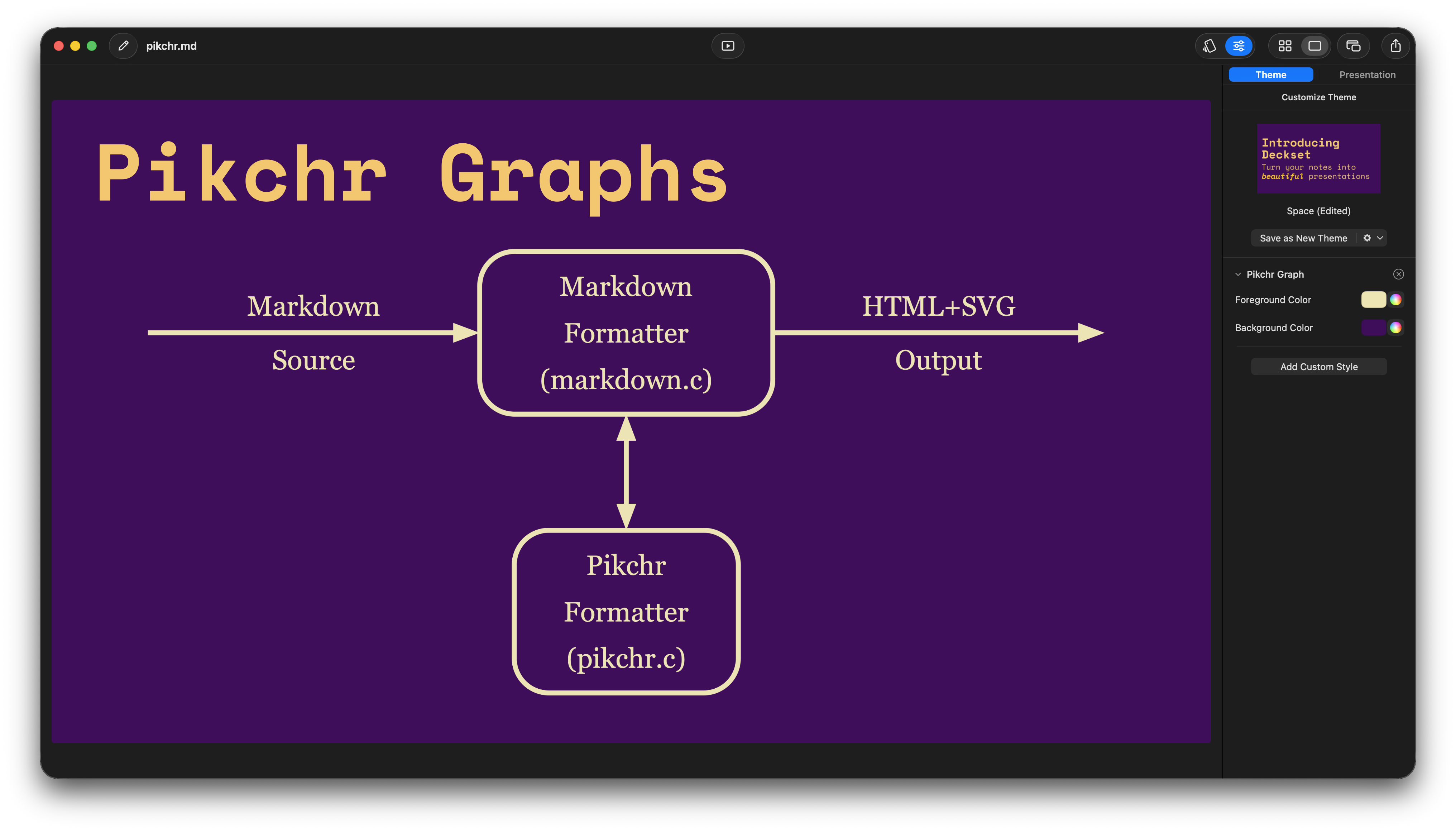
arrow right 200% "Markdown" "Source"
box rad 10px "Markdown" "Formatter" "(markdown.c)" fit
arrow right 200% "HTML+SVG" "Output"
arrow <-> down 70% from last box.s
box same "Pikchr" "Formatter" "(pikchr.c)" fit
```
You can reuse the graph customization command to control the base colors that Pikchr uses. This lets the diagram blend in with your slide theme:
You can also override the Pikchr colors per slide using the markdown command. The first color controls strokes and text; the second is the diagram background:
[.pikchr-graph: #f8f8f8, #003366]
See also Custom theming for more slide-level overrides.
Need more syntax ideas? Browse the official Pikchr documentation for ready‑made examples you can paste into Deckset.